
Applies to: Managers
Signing off is the final step. It locks in the agreed values and makes the results available.
Before you start
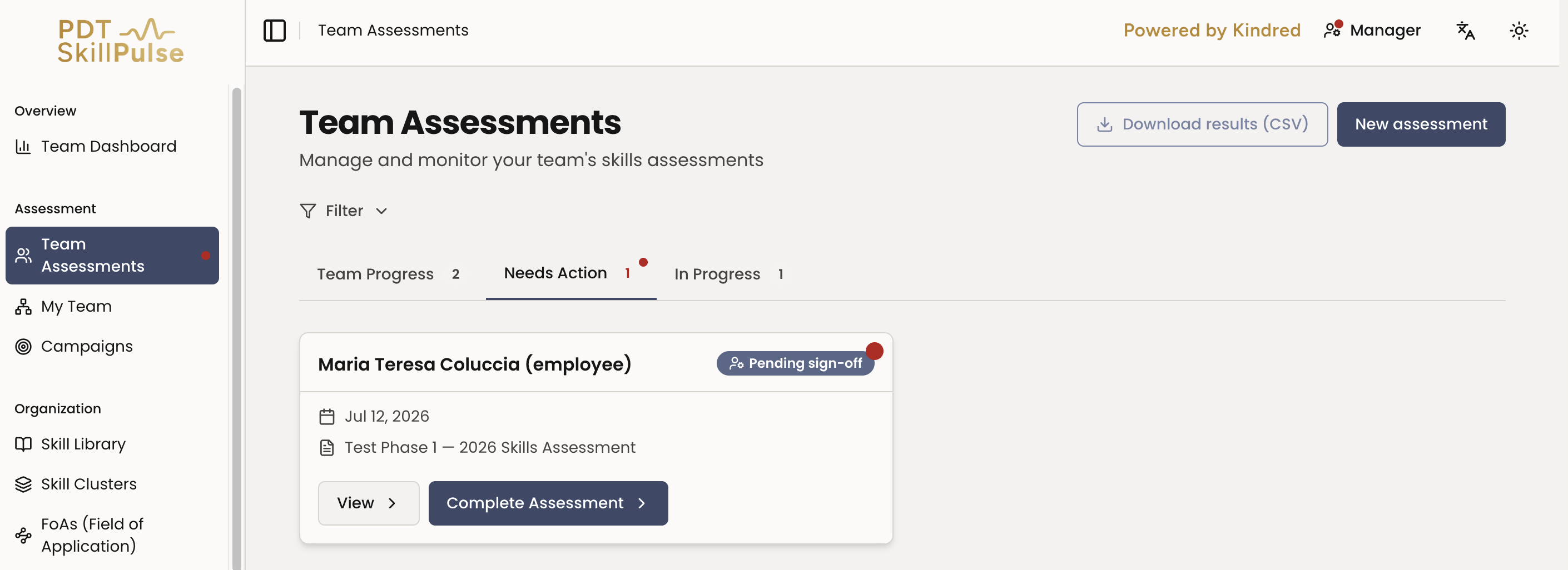
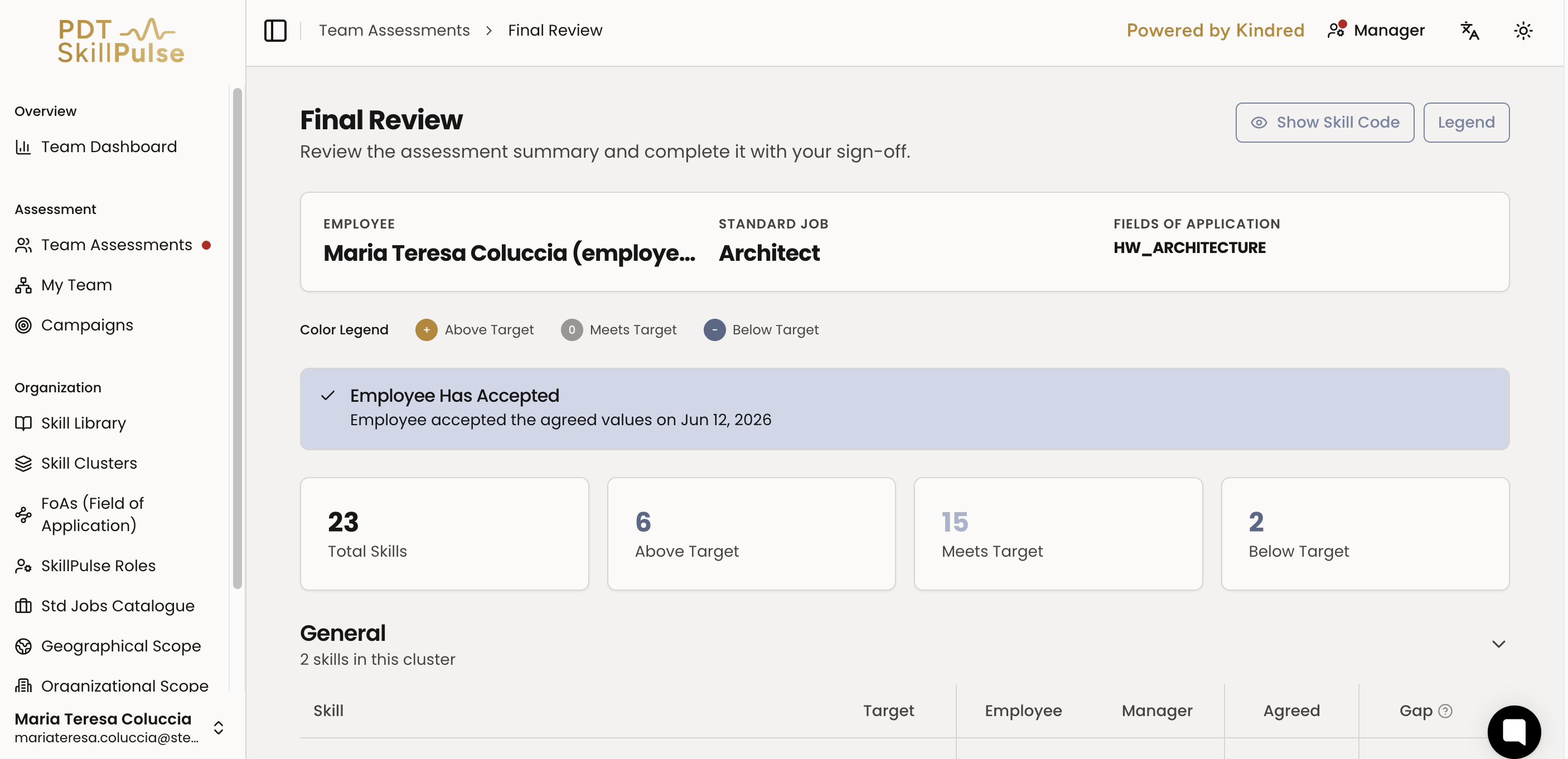
The employee must have accepted the agreed values (or a dispute must be resolved) — the status will show Pending sign-off.
Steps
Open the assessment — from Team Assessments → Needs Action, open the one marked Pending sign-off.
Do a final review — confirm the agreed values on the Final Review page.
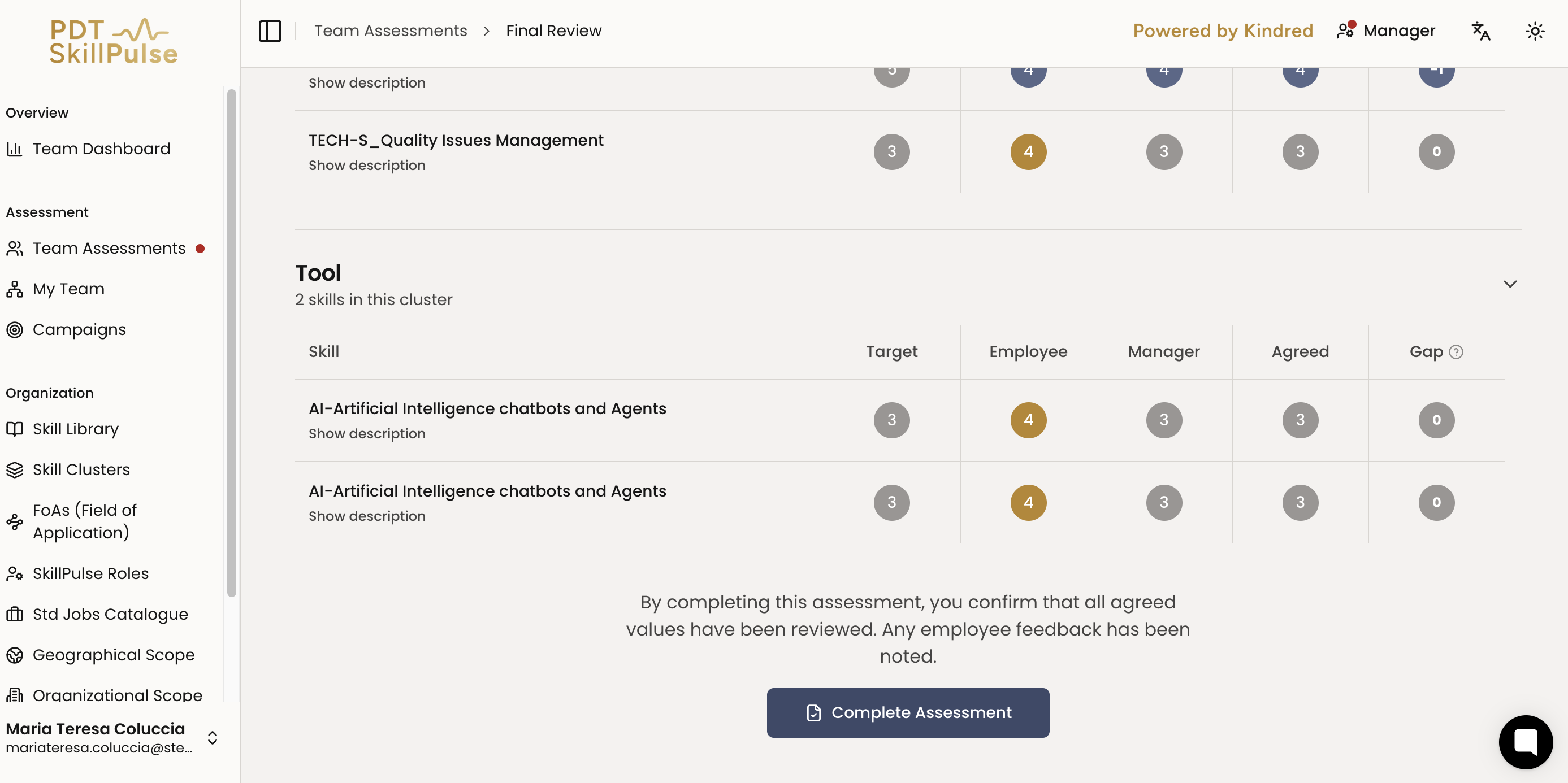
Sign off — select Sign Off (Complete Assessment) to finalize.
Done — the status becomes Completed. Results are locked and become available to view.
Once completed, the results appear under Completed for you and the employee.
Tip: Review the values one last time before signing off — a completed assessment is locked.
Any changes and/or updates can be made until the campaign is closed.
How to Re-open a Completed Assessment
The employee must initiate the request:
Employee opens their completed assessment
Selects the grey View button
Selects Request to Reopen
Manager approves the request
Employee makes their changes
If scores change as a result, the assessment returns to the agreement meeting step.