
Applies to: Employees whose assessment is awaiting their review
After everyone has rated your skills, your manager sets a final agreed value for each one. You get to review those values and either accept them or raise a disagreement.
Before you start
You'll be notified when the assessment status is Employee reviewing.
The agreed values are the manager's final proposal, informed by all the ratings.
Steps
Open the review — from My Assessments → Action Required, open the assessment and select Review Agreed Values.
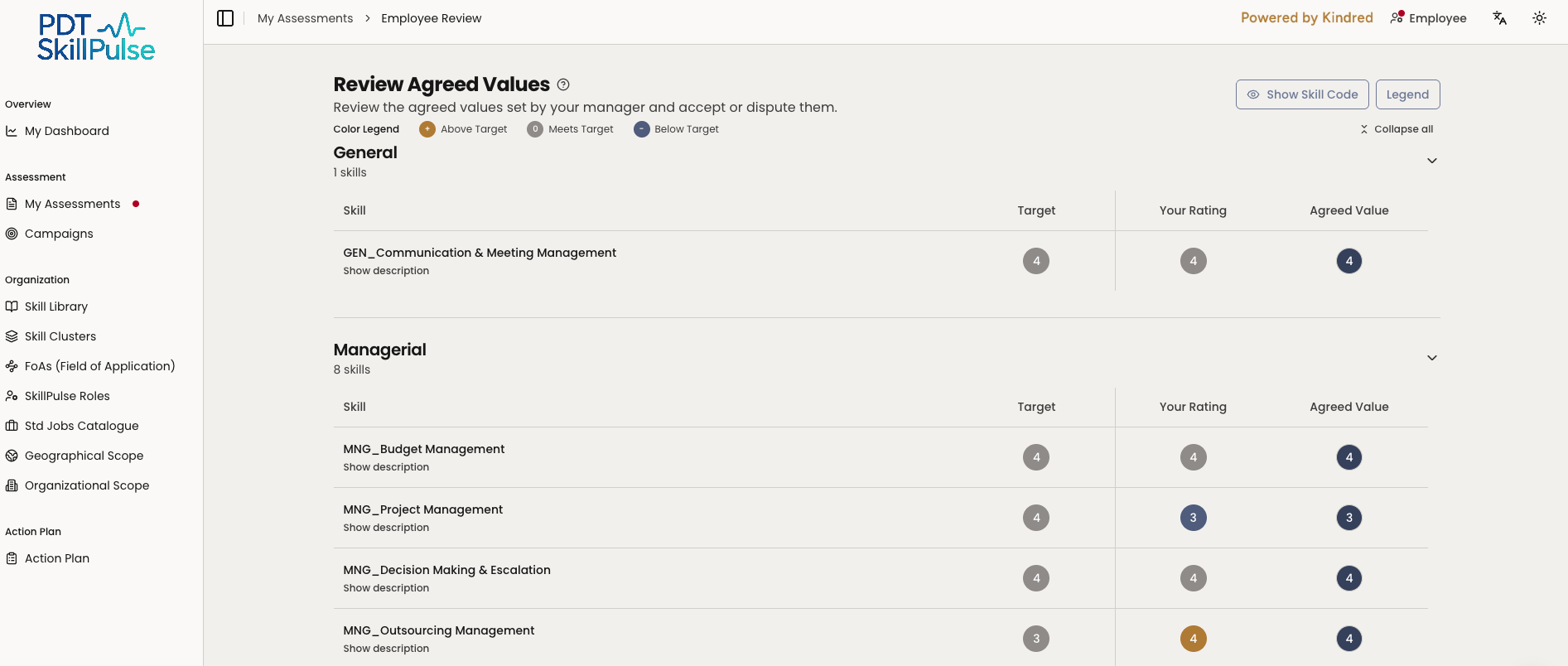
2. Compare the ratings — for each skill you can see the agreed value alongside the ratings that informed it (your own — and the co-assessor's where shown).
3. Accept or dispute:

If you agree, accept the values. The assessment moves to your manager for final sign-off.
If you disagree, select each skill you want to dispute and add a short note for that skill explaining your view (a note is required per disputed skill). You can also add an optional overall comment. Then submit your dispute.
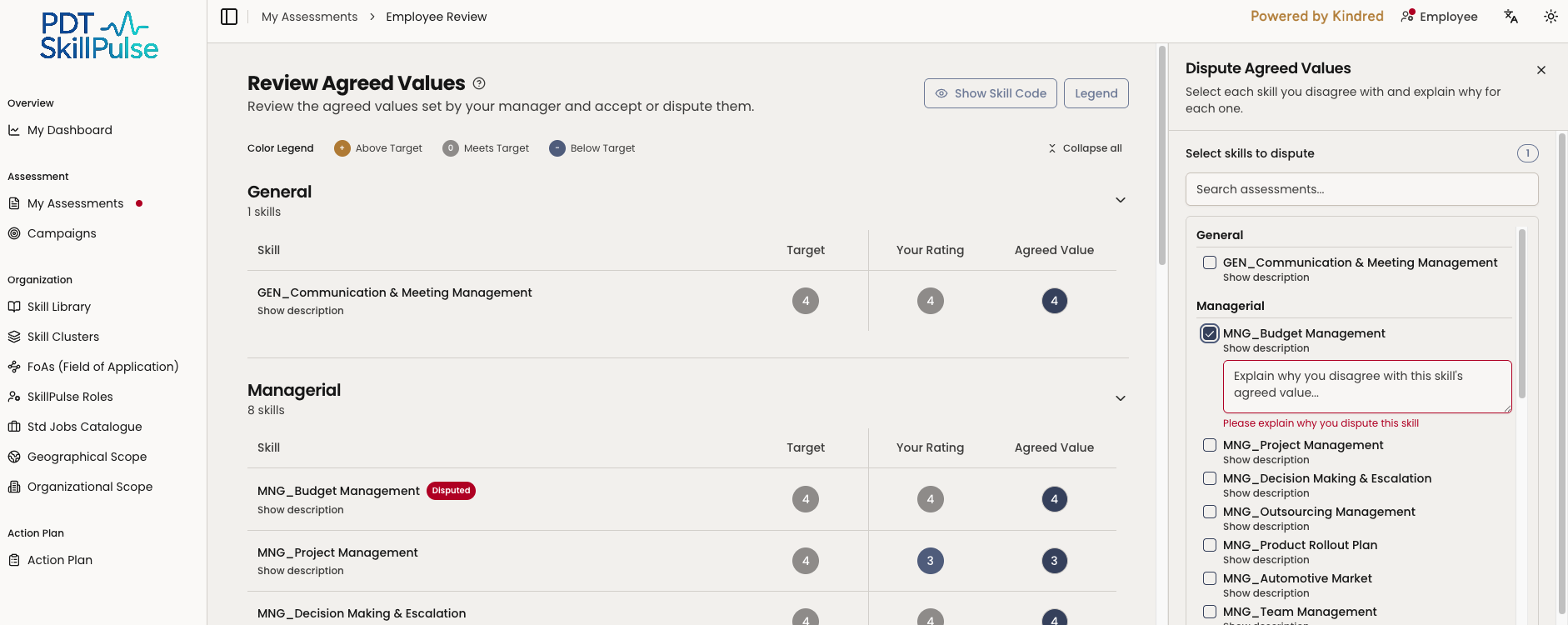
What happens next — a dispute sets the status to Disputed. Your manager reviews your comment and resolves it, which may include scheduling an agreement meeting.
Tip: Add a clear note on each disputed skill — say why you see it differently. It makes the follow-up conversation faster.